Care Circle
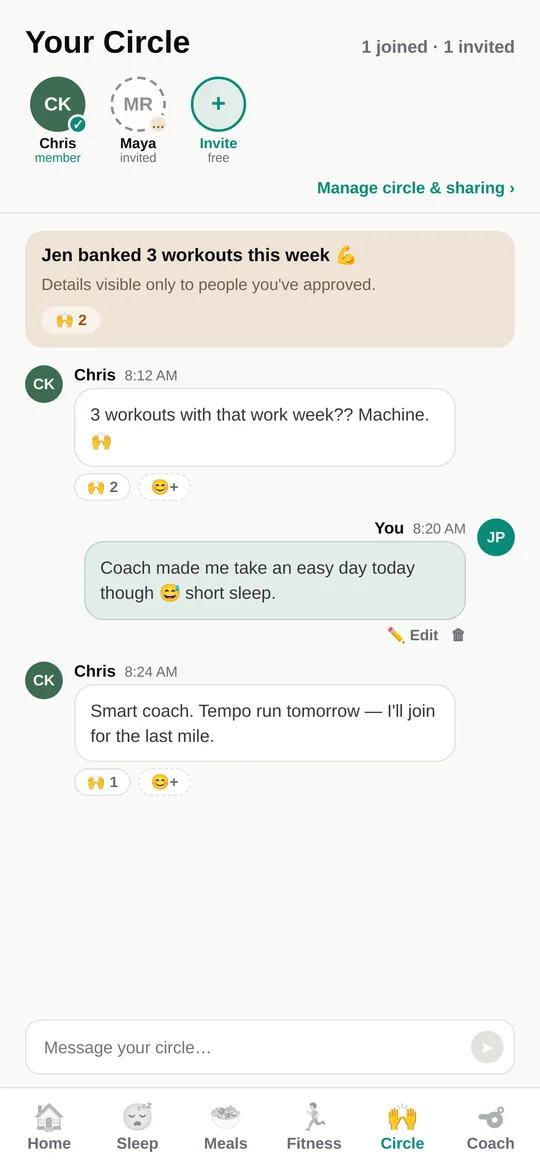
Invite family into the wellness picture whenever you want. You control every data element shared — each one, individually, always. Perfect for keeping loved ones in the loop, on your terms.
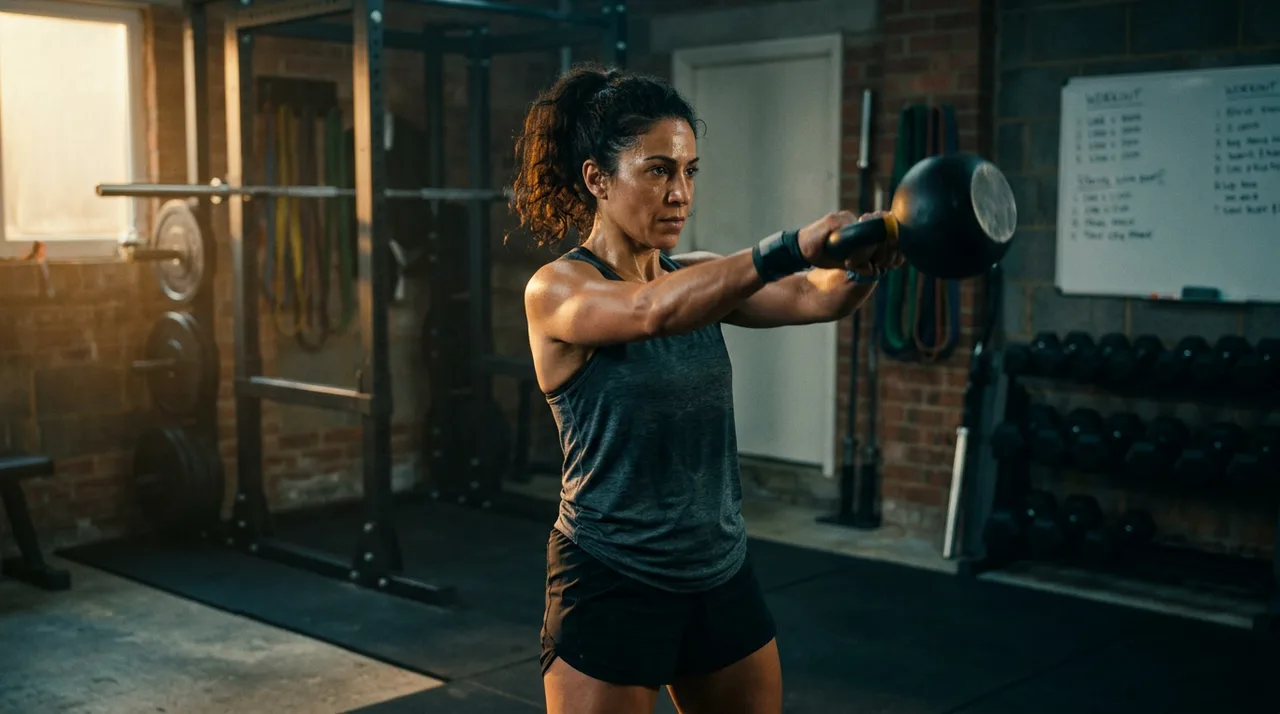
A personalized plan from your AI wellness coach — sleep, meals, and fitness working together toward your goals. Invite family to cheer you on, all on the devices you already own.
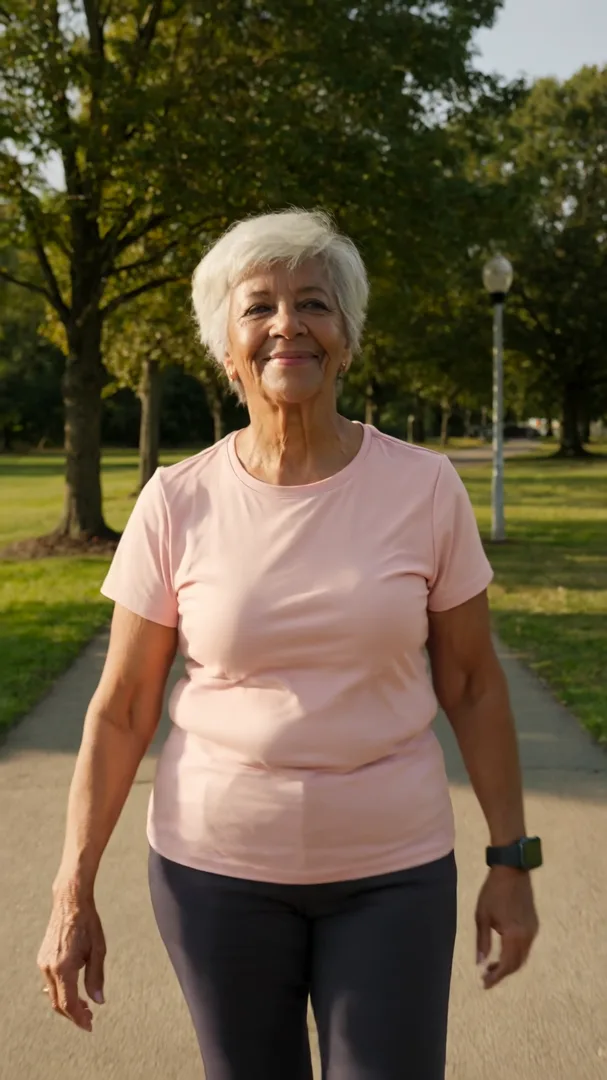
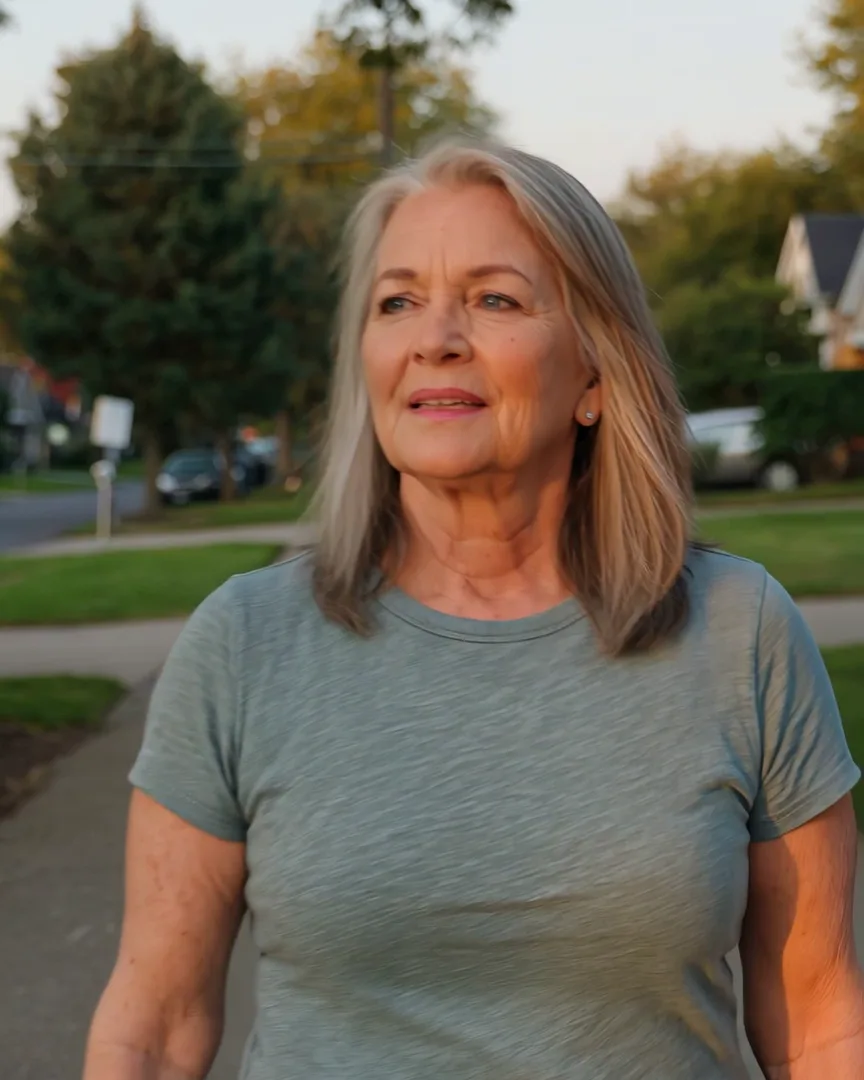
An AI coach that learns how you actually live, sleep, eat, move, and feel — whatever your age or fitness level. The goal is to make you feel better, not just help with weight loss. Invite family into the picture with the Care Circle whenever you want, on your terms.
Full coaching from day one. Uses existing devices you may already own.
Most apps do one thing. HealthyLifeOS connects the things that actually shape how you feel — and shares them only with the people you choose.
Invite family into the wellness picture whenever you want. You control every data element shared — each one, individually, always. Perfect for keeping loved ones in the loop, on your terms.
Personal coaching that adapts to your life — with a permanent, unalterable record of every coaching decision. Accountability built in.
Tracks activity through Apple Health and Health Connect your existing watch, band, or phone just works.
A finder for walks, classes, and community events near you — because motivation is easier with people.
Sleep analytics built only on published, peer-reviewed science. No black-box scores.
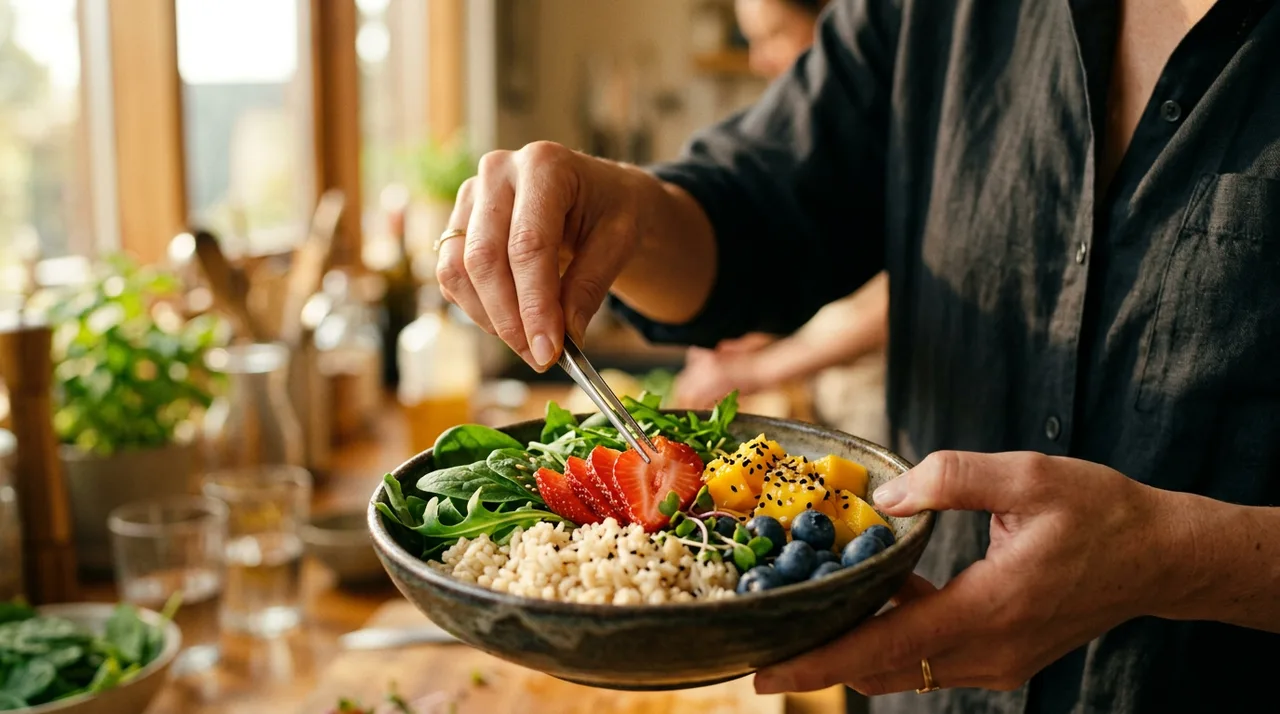
Simple meal tracking that feeds your coaching — without shame, streak-guilt, or crash-diet pressure.
You name it, your coach adapts to it — your chosen words, gentle awareness near your window, never clinical language or assumptions.
A one-tap daily check-in becomes a feeling chart across weeks — because how you feel is the metric that leads everything else here.
Food you log beside the active calories your device measured — two honest facts, side by side. Never a deficit score, never guilt math.
Medicine (discreet and family-aware), bedtime, and your saved events — plus a coach that notices you're on a walk and offers to log it. Never spam, never guilt.
VO₂ max, heart-rate recovery, training load, and a readiness read with visible reasons — never a black-box 0–100 score, and your feeling always outranks the plan.
Real apps for Apple Watch and Wear OS (Galaxy Watch, Pixel Watch) with workout logging from your wrist — not just phone notifications forwarded to a screen.
HealthyLifeOS reads from any wearable that syncs to Apple Health or Health Connect — Apple Watch, Fitbit, Garmin, Galaxy Watch, Pixel Watch, Oura, WHOOP — or no wearable at all.
Your health data is protected using industry best practices — encrypted in transit and at rest — and is never sold. Period.
Each device below writes to Apple Health or Health Connect through its own free companion app — which is all HealthyLifeOS needs. You never need any maker's subscription for HealthyLifeOS to work: we read the raw sensor data those devices already share, not their paid insights. Don't have a wearable? Your phone alone is enough to get started — though a device worn all day and overnight gives the coach far more to work with, because sleep stages, HRV and resting heart rate are things a phone in your pocket cannot measure.
Start with your phone. The two groups below are split by the phone you own, so you can't pick a watch that won't pair. Galaxy Watch and Pixel Watch pair only with Android phones; Apple Watch pairs only with an iPhone.
Apple Watch is iPhone-only. Garmin and Fitbit devices work with iPhone and Android. Galaxy Watch and Pixel Watch are not here on purpose — they can't pair with an iPhone.
Swipe the table sideways to compare — the first column and headers stay put. →
| Apple WatchSeries 11 | CIRQA Smart BandGarmin · screen-free | Fenix 8Garmin · outdoor | Charge 6Fitbit | Fitbit AirGoogle · screen-free | |
|---|---|---|---|---|---|
| Shares data free — no subscription needed | |||||
| Heart rate, 24/7 | |||||
| HRV & recovery | |||||
| Sleep stages & score | |||||
| Blood oxygen (SpO₂) | |||||
| Skin temperature | |||||
| Stress signals | EDA | ||||
| ECG | |||||
| GPS | Built-in | Via your phone | Multi-band | Built-in | Via your phone |
| Battery | 24 hrs | 10 days | up to 29 days | 7 days | 7 days |
| Supports: Sleep · Weight loss · Fitness · Energy | all four | all four | all four | all four | all four |
| Already own an older one? These work great too | Series 4 & newer | First of its line | Fenix 7 series | Charge 5 | Charge 5 · Inspire 3 |
| Price | $399 | $199.99 | $999+ | $159.95 | $99.99 |
| Where to buy | apple.com | garmin.com | garmin.com | google.com | google.com |
Galaxy Watch and Pixel Watch pair with Android phones only. Garmin and Fitbit work here too. Apple Watch is not here — it pairs only with an iPhone.
Swipe the table sideways to compare — the first column and headers stay put. →
| Galaxy Watch 9Samsung | Pixel Watch 5Google | Fenix 8Garmin · outdoor | CIRQA Smart BandGarmin · screen-free | Charge 6Fitbit | Fitbit AirGoogle · screen-free | |
|---|---|---|---|---|---|---|
| Shares data free — no subscription needed | ||||||
| Heart rate, 24/7 | ||||||
| HRV & recovery | ||||||
| Sleep stages & score | ||||||
| Blood oxygen (SpO₂) | ||||||
| Skin temperature | ||||||
| Stress signals | cEDA | EDA | ||||
| ECG | ||||||
| GPS | Built-in | Built-in | Multi-band | Via your phone | Built-in | Via your phone |
| Battery | 30 hrs | 24 hrs | up to 29 days | 10 days | 7 days | 7 days |
| Supports: Sleep · Weight loss · Fitness · Energy | all four | all four | all four | all four | all four | all four |
| Already own an older one? These work great too | Watch 4 & newer | Pixel Watch 1–4 | Fenix 7 series | First of its line | Charge 5 | Charge 5 · Inspire 3 |
| Price | $379.99 | $399 | $999+ | $199.99 | $159.95 | $99.99 |
| Where to buy | samsung.com | google.com | garmin.com | garmin.com | google.com | google.com |
Already own an older model? Connect it and try it today. The columns above show each maker's latest, but the older generations listed share the same core coaching signals through the same free pipeline — sleep stages, 24/7 heart rate, HRV & recovery, steps, and workouts. That's everything the coach needs to know you. What the newest models mainly add are the extras — things like ECG, skin temperature, stress sensing, and longer battery — so start with the wearable already on your wrist, and upgrade to the latest device only if you find you want more.
Rounding out the picture: a validated blood-pressure cuff (Welch Allyn Home, ~$163) gives the only true BP reading — wrist devices estimate patterns, never cuff numbers — and a smart scale (Withings Body Smart, $129.95) sends weight in automatically. Both are one-time purchases, no subscription. Oura and WHOOP aren't in this guide deliberately: Oura's ring requires a $5.99/mo membership to unlock your data, and WHOOP's membership IS the product ($199+/yr, band included) — we recommend hardware that doesn't charge you twice. Prices checked August 2026; confirm on the retailer's page. HealthyLifeOS isn't affiliated with these makers and earns nothing from these links.
Leading wellness apps each cover a slice — including the services that power the very devices we recommend. Care apps cover coordination. Nobody covers both sides of the family — until now.
The app stores are full of excellent single-purpose apps. Here are the popular names in each silo — and what a slice costs.
Guided workouts and training plans — most premium tiers run $10–$40/month. None of them know how you slept, what you ate, or how you feel today.
Smart alarms, stages, and scores — some need $349+ hardware or $30/month memberships. And last night's data never changes what your fitness app asks of you tomorrow.
Calorie counting and macros — premium tiers typically $10–$20/month, many built on streaks and deficit pressure. Your sleep and workouts are invisible to them.
Swipe the table sideways to compare — the first column and headers stay put. →
| HealthyLifeOSONE PLAN · everything included | Noom | MyFitnessPal | WHOOP | Oura | Google Health PremiumPixel Watch · Fitbit Air · Charge | CircleCare | Apple Fitness+Apple Watch · iPhone | Samsung HealthGalaxy Watch · free | Garmin Connect+CIRQA · Fenix | |
|---|---|---|---|---|---|---|---|---|---|---|
| AI coaching | Limited | w/ Premium | w/ Connect+ | |||||||
| Family Care Circle | consent-based | |||||||||
| Aging-in-place / family support | Partial | |||||||||
| Meal & nutrition tracking | Limited | |||||||||
| Local fitness events finder | ||||||||||
| Sleep analytics | ||||||||||
| Medicine reminders | discreet, family-aware | |||||||||
| Calories in & calories burned | two facts, never a guilt score | Burn only | Burn only | |||||||
| Readiness & recovery | honest reasons, no black-box score | |||||||||
| Runs on your watch (Apple Watch & Wear OS) | both | Apple Watch | Band only | Ring only | Band only | Apple Watch | Galaxy Watch | Garmin watches | ||
| Cycle tracking | you name it, coach adapts to it | Limited | w/ Premium | |||||||
| Compatible devices | iPhone & Android + any wearable — or none at allVia Apple Health / Health Connect: Apple Watch, Fitbit, Garmin, Galaxy Watch & Pixel Watch (Android), Oura, WHOOP, Garmin CIRQA, Fitbit Air, Hume Band | Phone only | Phone + app sync | WHOOP band only | Oura ring only | Fitbit Air band | Phone only | Apple Watch / iPhone | Galaxy Watch + Android | Garmin devices |
| Works without proprietary hardware | Band required | Ring required | Band required | Garmin device required | ||||||
| Free trial | 7 days, coached | Varies | Limited free tier | Varies | Trial month | 3-mo Premium trial | Free tier | 3 mo with device | Free | Core metrics free |
Comparison and silo pricing reflect publicly available pricing and features as of August 2026 and may change; single-purpose apps listed are examples, not endorsements. *WHOOP hardware included with subscription commitment. All trademarks belong to their respective owners.
HealthyLifeOS is built for you as an individual first. When you want, the Care Circle adds consent-based family sharing, down to the individual data element. Loved ones see only what you choose — nothing more. It's ideal for keeping an eye on aging parents, or just letting family cheer you on. Because trust is a feature.
Every shared element can be switched off at any time, instantly — by you.
Prefer to keep things personal? You get the full coaching experience, just for you, with nothing shared until you say so.
Our north star: engagement never outranks wellbeing. The product will never pressure, shame, or rush anyone.
You're billed through the Apple App Store or Google Play — the same trusted billing as every app on your phone. One plan at $5.99/month with everything included: nothing held back behind a higher tier. Your first week is free, and you can cancel anytime in your store's subscription settings — cancel during the trial and you pay nothing at all.
It learns how you actually sleep, eat, move, and feel, then shapes each day around it — what's already banked, what's left, and why. It knows what time it is, never invents data, and when you tell it you're feeling low, the plan softens instead of pushing harder. No calorie-shaming, no streak guilt, no "no excuses" voice. Ever.
Day to day, that means keeping you on course across the four things that actually move how you feel — food, water, sleep, and movement. It nudges water in the afternoon when the day has got away from you. It notices that dinner has been late all week and that your sleep followed it. It points out that your best mornings came after the nights you were in bed before eleven. It picks a workout that fits the sleep you actually got, not the one the plan assumed. And it reads the four together, because that is how they behave — a short night shows up in your appetite, and a hard session shows up in the night after it.
The goal is deliberately small: feel better than you did yesterday. Not a target weight, not a perfect week, not a streak to protect. Some days that means going longer. Some days it means water, an earlier night, and nothing else. Miss a day and the coach picks up where you actually are, not where the plan said you would be — because the point is the next good day, not the record.
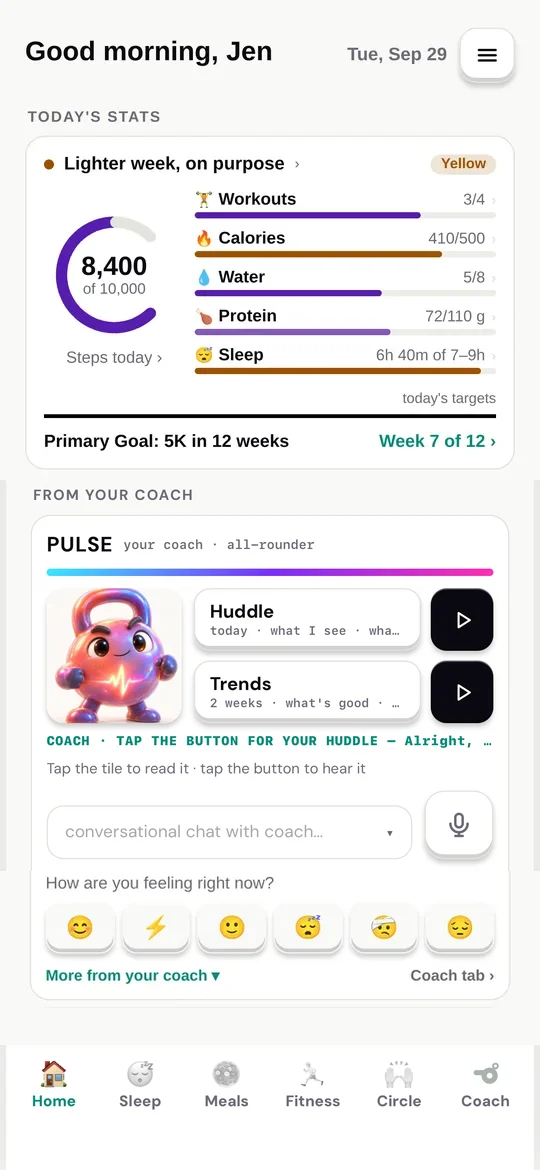
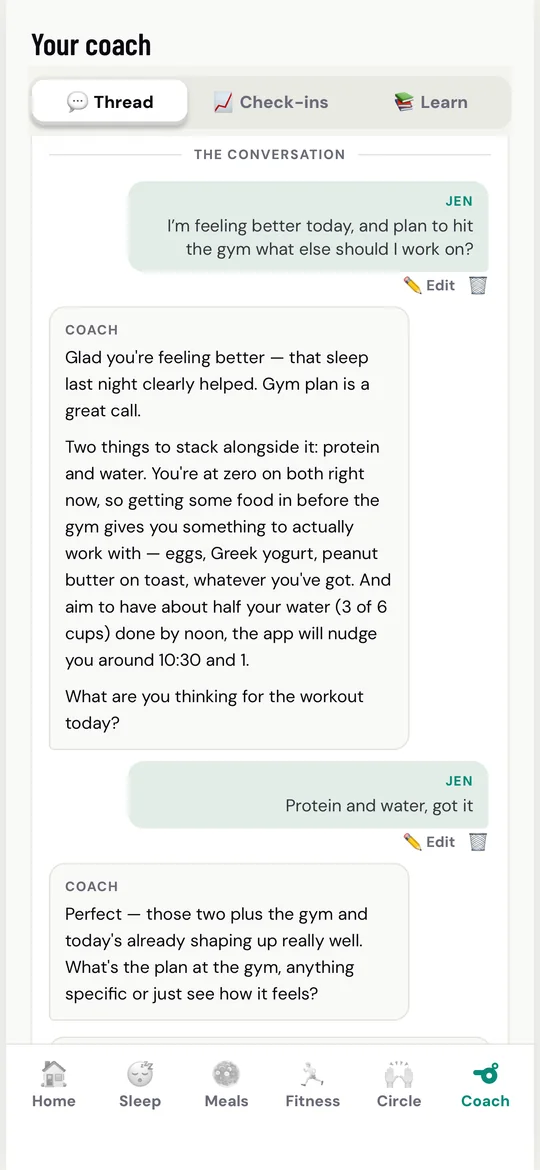
Your coach: a daily brief plus a real conversation.
You're in control — completely. Every invite shows you exactly what that person will see, element by element — your standard set starts switched on so your circle is useful from day one, and you untick anything you'd rather keep to yourself before the invite goes out, or switch it off later in Manage access, instantly. Chat and celebrations are always part of the Circle. Membership is free for the people you invite.
Every invite shows what that person will see — untick anything before you send.
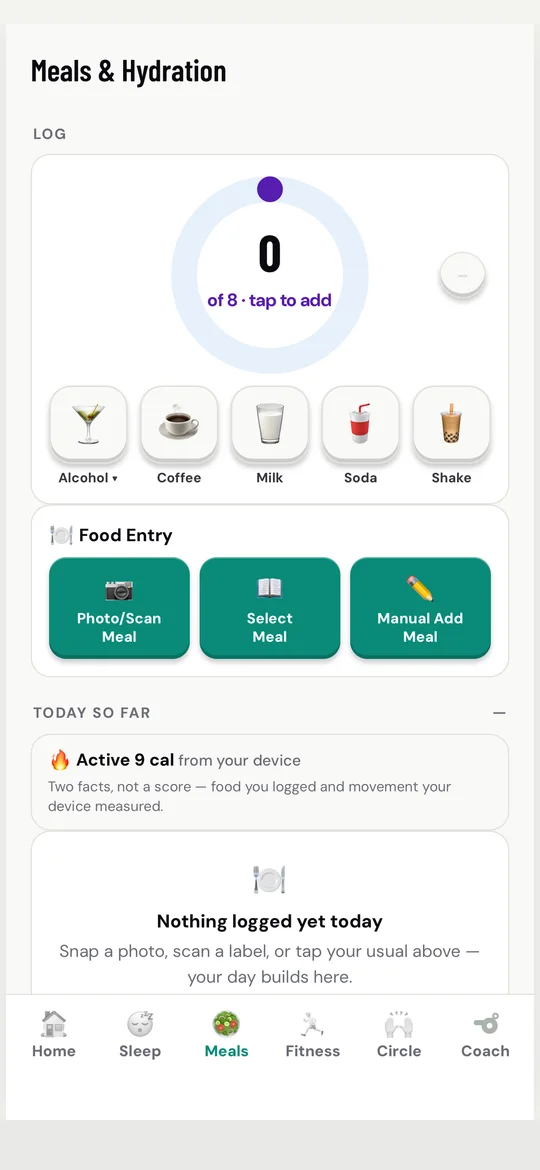
Snap a photo, scan a barcode, search a catalog of hundreds of foods, or just type it. Calories you log appear beside the active calories your device measured — two honest facts, side by side, never a guilt score.
Everything your device shares, presented honestly — if a metric isn't measured, we never invent it:
Three connections, made once. Your wearable talks to its maker's own app; that app shares into your phone's health platform; HealthyLifeOS reads from there. The key step most people miss is the middle one: open your device maker's app and look in its settings for "Connected apps," "Connected services," or "Health permissions" — that's where you switch on sharing to your phone's health platform.
On iPhone — the platform is Apple Health (the white app with the red heart):
On Android — the platform is Health Connect (built into Android's settings):
Then grant HealthyLifeOS access to Apple Health or Health Connect once (we ask during setup, or in Settings → Connections), and from that moment your sleep, heart data, workouts, and steps flow in automatically — no maker's subscription needed.
Want it walked through, step by step? Our guided setup asks which phone and which wearable you have, then gives you the exact taps — with official videos: Set up your service →
All first-party, all in one place. Each device links its maker's official video and our guided walk with the exact taps:
Apple Watch — Apple's setup video · Apple's pairing guide · our walk →
Galaxy Watch (Android phones only) — Samsung's pairing videos: Galaxy phone / any Android · our walk →
Pixel Watch — Google's setup video · our walk →
Fitbit — Google's setup videos: on iPhone / on Android · our walk →
Garmin — Garmin's pairing video · our walk →
Your phone's health platform — the hop in the middle, explained by its maker: Apple's Health app guide (iPhone) · Google's Health Connect guide (Android).
No wearable? Your phone alone gets you coached from day one — it already counts steps and workouts, and you can log sleep yourself. You will get more out of the app once a device is measuring your nights for you, but nothing here waits on that: see how →
HealthyLifeOS ships real watch apps with workout logging for both worlds: Apple Watch, and Wear OS 3+ (Samsung Galaxy Watch 4 and newer, Google Pixel Watch — round displays included).
Apple Watch — it rides along with the iPhone app:
Galaxy Watch / Pixel Watch (Wear OS) — the watch has its own Play Store:
Didn't appear on your Apple Watch? Most watches install it for you — that's Apple's Automatic App Install, on by default. It's off for some people (it's a common way to save watch storage), and it doesn't apply if you paired the watch after installing HealthyLifeOS on the phone. Two fixes, either works: on your iPhone open the Watch app → My Watch → scroll to Available Apps → tap Install beside HealthyLifeOS. Or turn the automatic behavior back on: Watch app → General → Automatic App Install on — future app updates then reach the wrist on their own. Not in Available Apps at all? Update the iPhone app first; the watch app rides inside it.
Either way, workouts you log on the wrist land in the app instantly — and everything the watch measures overnight flows in through Apple Health or Health Connect as covered above.
No — but you will get noticeably more out of HealthyLifeOS with one. Your phone alone tracks steps, workouts, and the sleep you tell us about, and the coach works from day one. That is a real starting point, not a consolation prize.
Where a wearable changes things is wearing it all day and through the night. Overnight is the part your phone simply cannot see: sleep stages, how broken the night actually was, HRV, resting heart rate, breathing and blood-oxygen trends. Those are the raw material behind readiness, recovery, and a coach that can tell a hard day from a heavy one instead of taking your word for it. Worn through the day, continuous heart rate also makes active minutes, workout intensity, and calorie estimates measured rather than inferred.
So: start with your phone if that is what you have. If you already own a wearable, any device that syncs to Apple Health or Health Connect works automatically — and the more hours you actually wear it, sleep included, the more the coaching has to work with.
No. HealthyLifeOS reads the raw sensor data your device already shares free through Apple Health or Health Connect — not the maker's paid insights. Your hardware, one subscription: ours.
Because Samsung keeps those inside Samsung Health. Energy score, Sleep score, and stress never leave the Samsung Health app — Samsung doesn't share them with Health Connect, so no app outside Samsung Health can display them. That's Samsung's design, not a sync problem on your phone.
Everything Samsung does share flows in automatically: your sleep and its stages, steps, heart rate, workouts, distance, and recovery vitals. Your coach reads those directly — the raw signals behind the scores — and works from how you actually slept and moved, and how you say you feel.
No. Galaxy Watch 4 and newer pair only with Android phones — that's Samsung's rule, not ours — so a Galaxy Watch can't write to Apple Health and HealthyLifeOS on an iPhone can't read from it. The iPhone app says so plainly in Connected devices & apps, so you're never left hunting for a setting that doesn't exist. On an iPhone, Apple Watch, Garmin, Fitbit (via Google Health), Oura, WHOOP, Withings and any other device that shares into Apple Health all work. On an Android phone, your Galaxy Watch is fully supported.
Your health data is protected using industry best practices for security — encrypted in transit and at rest — and is never sold. Period. Sharing happens only through the Care Circle, only with people you invite, only element-by-element with your consent.